Effective employee onboarding goes beyond mere paperwork: It establishes a strong first impression that significantly influences performance, retention, and engagement. The right employee onboarding software can simplify administrative tasks, create a consistent experience, and help new hires feel informed, connected, and ready to contribute from day one.
HiBob research found that 90 percent of HR leaders reported a positive effect from their onboarding investments. And 40 percent said onboarding made a significant positive difference, more than any other initiative across all categories.
With so many options on the market, how can you know which solution is best for your business? This article reviews multiple employee onboarding software tools and provides detailed insights to help you select a tool that ensures a positive start for your new hires.
Key insights
- Using the right employee onboarding software can streamline HR processes and enhance new team member experiences by boosting engagement and accelerating new hire productivity
- While searching for the best onboarding software, look for customizable workflows and integration capabilities to ensure the onboarding process aligns with your company needs
- Analytics and reporting features provide insights that help continuously improve onboarding processes
The best employee onboarding software: a quick overview
We reviewed each platform’s onboarding workflows, automation, document collection, training tools, integrations, reporting, and support for different hiring models. We also considered official product information and verified customer ratings to understand how the tools perform in day-to-day use.
Company size guided the entire comparison because business needs change as companies grow. For example, HiBob research found that 31 percent of small businesses rank ease of use as their top HR technology priority, while 32 percent of enterprise organizations name integration as their biggest HR tech challenge, the highest share of any company size.
| Company | Best for | Ideal company size | Customer rating |
| HiBob | HR and Finance alignment | Mid-market to enterprise organizations, including global and multi-country teams | 4.5/5 |
| BambooHR | Simple HR management | Small to mid-size organizations | 4.4/5 |
| ClearCompany | Talent-focused onboarding | Small to mid-size organizations | 4.6/5 |
| ADP Workforce Now | Payroll administration | Midsize to enterprise organizations | 4.2/5 |
| Sentrient | Australian HR compliance and GRC | Small and medium businesses to larger organizations | 4.7/5 |
| Deel | Global hiring and contractor management | Startups to enterprise organizations, with a focus on global and distributed teams | 4.8/5 |
| Eddy | Paperless new-hire packets | Small businesses to mid-market organizations | 4.7/5 |
| GoCo | Benefits and payroll-connected HR | Small to mid-size organizations | 4.4/5 |
| Greenhouse | Structured recruiting workflows | Early-stage companies to enterprise organizations | 4.4/5 |
| Gusto | Small-business payroll and benefits | Small businesses, including solopreneurs and startups | 4.6/5 |
| Paychex | Payroll services and tax administration | Small to large organizations | 4.1/5 |
| Paycor | Labor cost and scheduling visibility | Mid-size to enterprise organizations | 4/5 |
| Paylocity | Mobile onboarding | Small to enterprise organizations | 4.4/5 |
| Rippling | HR, IT, and device management | Small to large organizations | 4.8/5 |
| WorkBright | Seasonal workforce onboarding | Small to large organizations, with particular strength for frontline and seasonal workforces | 4.7/5 |
| Waybook | Structured onboarding training | Startups to established mid-size organizations | 4.9/5 |
| Workday | Enterprise workforce planning | Enterprise organizations | 4.1/5 |
What is onboarding software?
Onboarding software facilitates and streamlines integrating new hires into an organization. It automates and manages the tasks involved in welcoming new team members, ensuring they have a smooth transition into their roles. This includes automating the distribution of employment documents, facilitating training schedules, and helping new people assimilate into the company culture.
While often used for employee onboarding, the term “onboarding software” can also refer to customer onboarding software, client onboarding software, and user onboarding software. This article will focus on employee onboarding software, which is specifically engineered to support HR teams in handling the HR tasks associated with welcoming new people.
Discover the power of modern HRIS and learn firsthand how Bob can optimize your HR processes
Benefits of successful employee onboarding
A well-run onboarding process gives new joiners the information, support, and connections they need to settle into their roles. Key benefits include:
Faster onboarding administration: Automated workflows can shorten the time HR spends preparing documents, transferring data, and coordinating each new hire’s setup. In fact, Ecosio, a B2B integrations company, improved onboarding efficiency by up to eight days per contract after implementing HiBob’s onboarding software.
Clearer expectations: In HiBob’s onboarding study, only 40 percent of people said their role matched what was discussed during hiring and 25 percent started without enough information about their responsibilities. Structured onboarding helps close those gaps early.
Higher productivity and engagement: Nearly 80 percent of new joiners say easy access to information during onboarding improves both productivity and engagement.
Greater job satisfaction: People who receive an exceptional onboarding experience are 2.6 times more likely to feel highly satisfied at work.

What makes a great employee onboarding platform?
The best employee onboarding software should reduce manual work while giving every new joiner a clear, consistent, and engaging experience. Look for platforms that offer:
- Customizable onboarding flows: Flexible workflows let HR teams tailor onboarding by role, location, or employment type. Look for preboarding, reusable onboarding templates, adjustable timelines, and personalized tasks or welcome content.
- AI and automation: Automation can handle repetitive tasks such as document collection, reminders, welcome emails, and requests for IT equipment or system access. AI can also help answer common questions, create role-specific content, and guide new joiners to the right information while HR retains control over decisions, permissions, and people data.
- Culture-building features: Org charts, team directories, company resources, and structured introductions can help new joiners understand how the organization works, build connections with co-workers, and feel part of the company from the start.
- Employee self-service: A strong self-service portal lets new joiners update personal information, complete forms, access policies and training materials, and review onboarding checklists without relying on HR for every request.
- Reporting and analytics: HR teams can track onboarding completion rates, time to productivity, bottlenecks, and other key metrics to understand what works and continuously improve the onboarding experience.
Best employee onboarding software tools
Considering the key features of a great onboarding platform, let’s explore the top employee onboarding software tools that effectively meet these needs.
HiBob: Best for onboarding and HR + finance alignment

G2 rating: 4.5/5 from 2,600+ user reviews
HiBob is a robust HR platform with a user-friendly interface that simplifies complex workflows. It automates routine tasks, centralizes team member data in one place, and connects hiring through built-in applicant tracking with onboarding, which reduces admin and improves the new hire experience. With shared, real-time data, HR and Finance can also stay aligned on headcount changes and workforce costs, so planning and reporting stay consistent.
The interface feels familiar, with social-style updates that keep people connected and make it easy to recognize milestones, share feedback, and stay informed. AI-powered tools help reduce manual work and surface clearer insights, while the platform continues to evolve based on customer feedback and shared best practices across the HiBob community.

Key features:
- Hiring and Onboarding: Manage candidate pipelines, automate paperwork, connect new joiners with peers, and give them instant access to resources
- Time and Attendance: Track working hours and attendance accurately so payroll is always correct
- Finance: Connect people plans to budgets by modeling headcount and workforce costs and keeping HR and Finance working from the real-time data
- Payroll Hub: Process payroll weekly, bi-weekly, monthly, or across multiple cycles to provide accurate and timely paychecks
- Learning and Performance: Support growth with 360-degree reviews, personalized training, goal-setting, and progress tracking
- People Analytics: Track metrics like headcount, retention rate, and absenteeism to guide strategy
Pros:
- “HiBob is strong because it consolidates core HR processes into one intuitive platform, with flexible workflows and automations that reduce manual effort.” (source)
- “We’ve set up some amazing workflows for onboarding, which is really helping with clarity for the first 90 days and keeping people’s learning on track.” (source)
Cons:
- “I can’t duplicate a question when creating a form in a performance review cycle.” (source)
Discover the power of modern HRIS and learn firsthand how Bob can optimize your HR processes
Sentrient: Best for Australian compliance onboarding

Software Advice rating: 4.7/5 from 10 user reviews
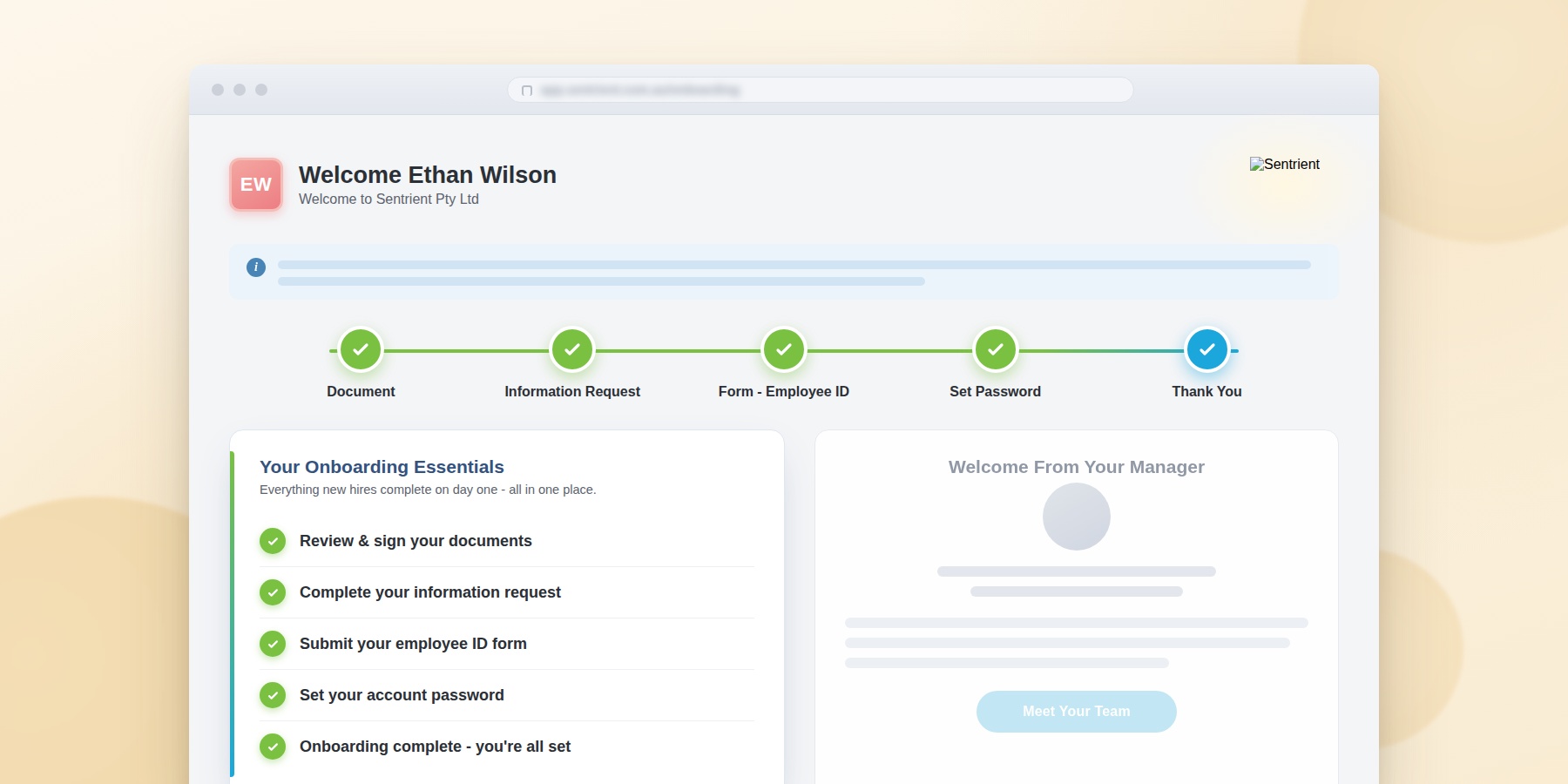
Sentrient is an Australian compliance, GRC, and HR platform built for the local workplace. It brings onboarding, compliance training, workplace policies, and the rest of the employee lifecycle into one system, with all data stored in Australia. New starters complete their forms, sign documents, and work through an onboarding to-do list online before day one, so managers spend less time chasing paperwork and more time welcoming people.
The onboarding module runs on automated workflows and pre-built templates, which give every new hire a consistent start. It also ships with legally endorsed compliance courses and workplace policies already loaded, so people can be trained and signed off on from their first week. Sentrient is designed for small and medium businesses as well as larger organizations, and it can be set up in minutes rather than weeks.
Key features:
- Paperless onboarding: Manage assets, documents, online forms, staff details, and to-do lists
- Workflow automation: Trigger tasks using pre-built onboarding workflows, templates, and forms
- Pre-boarding and eSign: Let new hires sign contracts and start their paperwork before day one
- Built-in compliance: Assign pre-loaded, legally endorsed compliance courses and workplace policy templates during onboarding
- Records and reporting: Track completion with auto-reminders, escalations, and audit-ready reports
- Full employee lifecycle: Connect onboarding to recruitment, learning, performance, and people management
Pros:
- “Great features with a lot of customization.” (source)
- “Easy to use from an end user perspective.” (source)
Cons:
- “Liking between data sets would be advantageous, eg accessing individual capability records directly from an individual staff report.” (source)
BambooHR: Best for simple small-business onboarding

G2 rating: 4.4/5 from 6,000+ user reviews
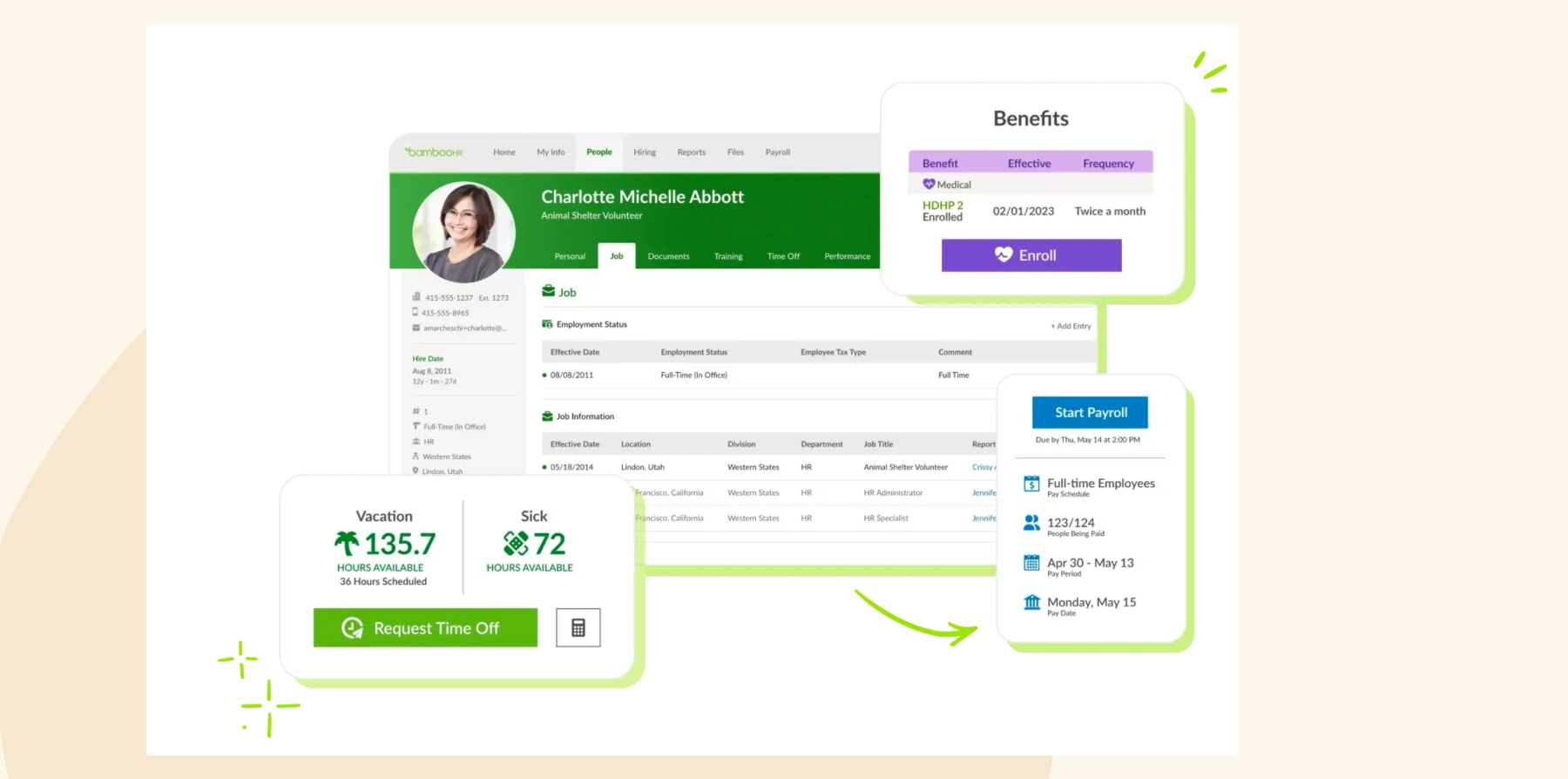
BambooHR is an HR platform designed for small and medium-sized businesses. It provides HR process solutions for the entire employee lifecycle, from hiring and onboarding to payroll, performance management, and offboarding.
Key features:
- Hiring and onboarding: Manage candidates, send offer letters, collect new-hire details, and assign onboarding tasks
- People records: Store personal information, documents, time-off data, and other HR records in one system
- Payroll and benefits: Connect employee data with payroll processing, benefits administration, and enrollment
- Reporting and analytics: Build reports around headcount, turnover, onboarding, and other workforce metrics
Pros:
- “It simplifies HR tasks like onboarding, time-off tracking, and performance management.” (source)
- “BambooHR makes it easy to access my information and complete HR-related tasks in one place.” (source)
Cons:
- “Horrible interface, difficult to use. Also, getting any information about the candidate was difficult to find.” (source)
- “To properly utilize BambooHR according to your company’s specific HR processes, there is a lot of individual and time-intensive setup involved.” (source)
<<Compare Bob vs. BambooHR–See which fits your business best>>
ClearCompany: Best for talent-focused onboarding

G2 rating: 4.6/5 from 500+ user reviews
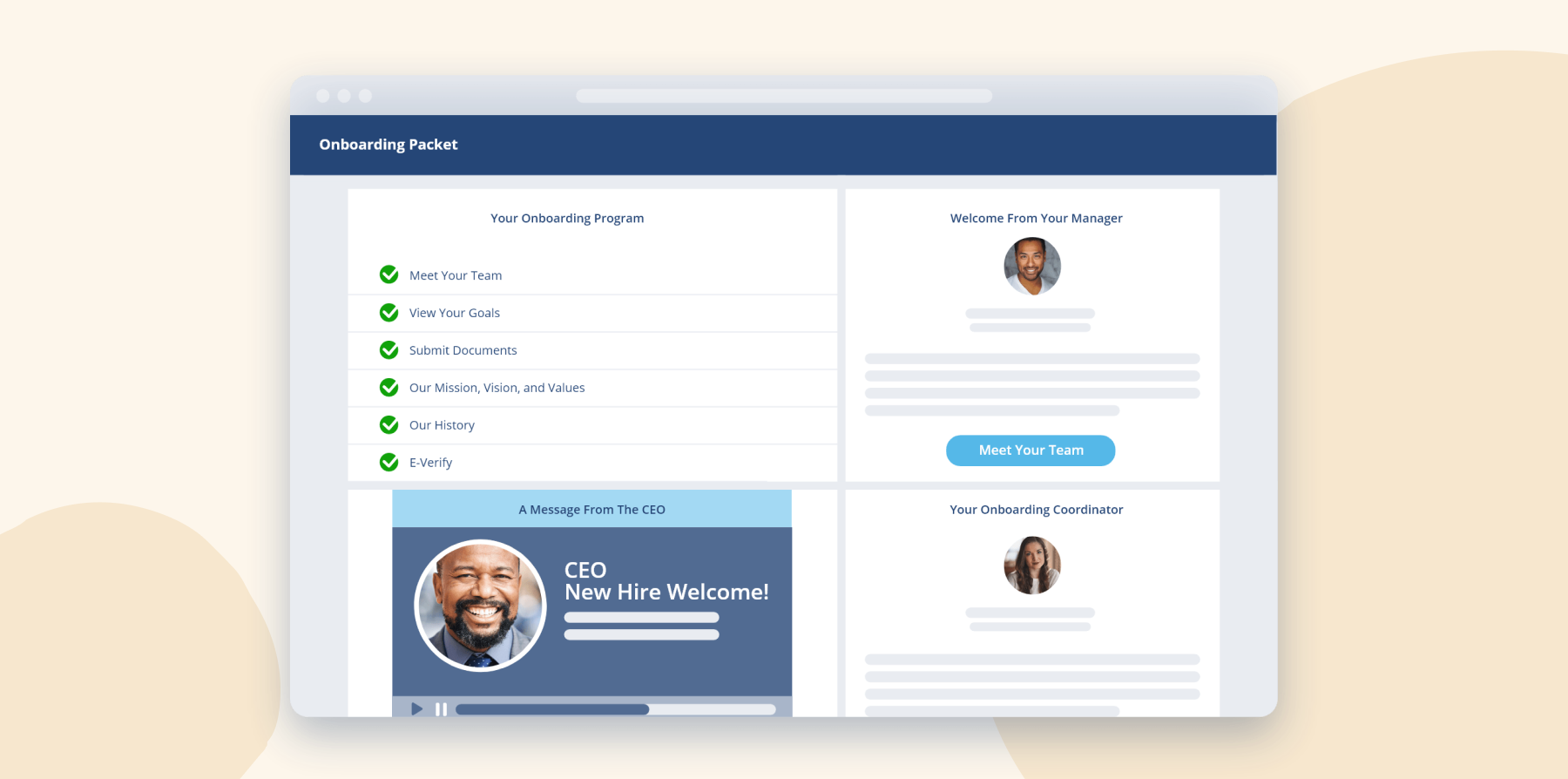
ClearCompany is a talent management platform designed to help organizations with employee onboarding, applicant tracking, and other HR tasks. Their software includes automated onboarding workflows, background checks, and performance reviews. New joiners benefit from a self-service portal that allows them to begin their onboarding experience independently.
Key features:
- Applicant tracking: Manage job postings, candidate stages, interviews, and hiring approvals
- Onboarding: Move hired candidates into workflows with forms, tasks, resources, and readiness checklists
- Performance management: Run reviews, track goals, and connect early progress with development
- People analytics: Review hiring, onboarding, engagement, and performance data across the talent lifecycle
Pros:
- “Their quick response time when we had concerns, very easy to use and easy to understand.” (source)
- “I like that the platform is easy to navigate and affordable in comparison to other platforms.” (source)
Cons:
- “Multiple bugs, confusing workflows, poor system notifications, no customization to your hiring process.” (source)
- “Reporting function is okay at best–too confusing, too cumbersome and stuck between an “old version” and a “new version.” (source)
ADP Workforce Now: Best for payroll-connected onboarding

G2 rating: 4.2/5 from 4,200+ user reviews
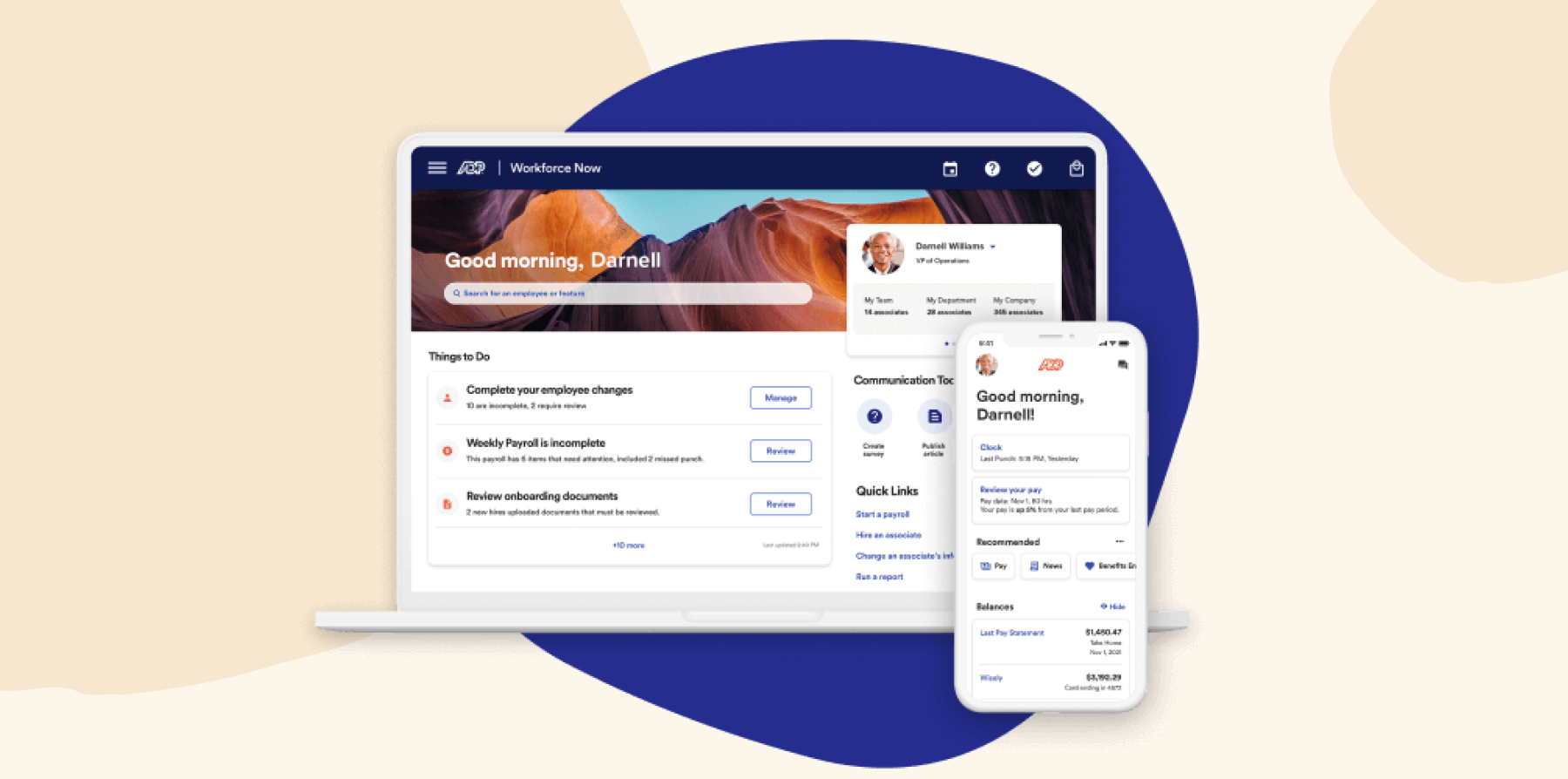
ADP Workforce Now is a human capital management (HCM) software designed to help businesses manage their workforce across the entire employee lifecycle. Aimed at mid-sized and large businesses, the platform provides tools for various HR functions, from onboarding to payroll and talent management.
It also features compliance support to help businesses meet regulatory requirements.
Key features:
- Digital onboarding: Let new joiners complete required forms and paperwork through a mobile-enabled portal
- Custom onboarding flows: Adjust content and onboarding steps for different roles, locations, and worker types
- Compliance tracking: Manage employment documents, electronic signatures, and required onboarding activities
- Payroll and benefits: Connect new joiner information with payroll setup, tax details, and benefits administration
Pros:
- “ADP Workforce Now allows for seamless integration across departments, like benefits and payroll.” (source)
- “The onboarding process is another area where ADP Workforce Now excels.” (source)
Cons:
- “The product overall isn’t the most user-friendly and is often buggy.” (source)
- “Reporting and analytics/dashboards are not helpful and difficult to modify to get what you want.” (source)
- “The onboarding experience is not great and confusing for employees.” (source)
Deel: Best for international onboarding

G2 rating: 4.8/5 from 1,300+ user reviews
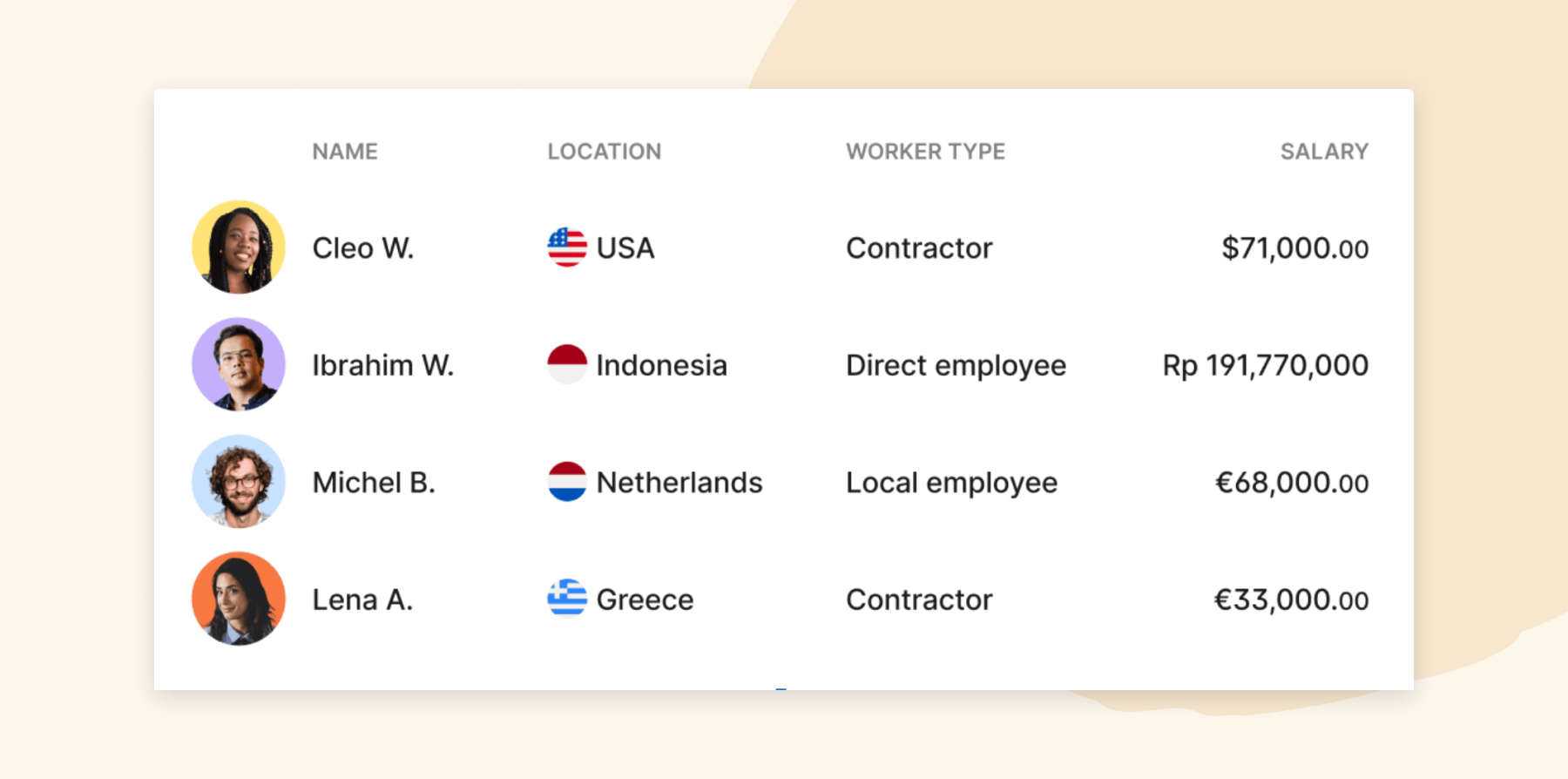
Deel is a global payroll and compliance platform companies can use to support their employee onboarding programs with automated tasks, including contract signing and compliance document submissions. The platform also simplifies onboarding globally dispersed teams with built-in tools designed to ensure compliance with local labor laws and automate tax calculations.
Key features:
- Global onboarding: Create country-specific onboarding flows for team members and contractors across more than 150 countries
- Contracts and compliance: Collect required documents, complete identity checks, and manage locally compliant contracts
- Onboarding tracking: Monitor each worker’s status, outstanding steps, and due dates from one view
- HRIS automation: Move candidate data into onboarding and maintain one employee record without manual re-entry
Pros:
- “Deel is very user-friendly and intuitive.” (source)
- “Deel Payroll makes global payroll simple by handling payments, compliance, and contracts all in one platform.” (source)
Cons:
- “There are still some rough edges with Deel’s billing system and fully fleshing out some optionality within different countries.” (source)
- “The report section in Deel lacked customization and was cumbersome to use, making extracting specific data time-consuming.” (source)
Eddy: Best for paperless new-joiner packets

G2 rating: 4.7/5 from 100+ user reviews
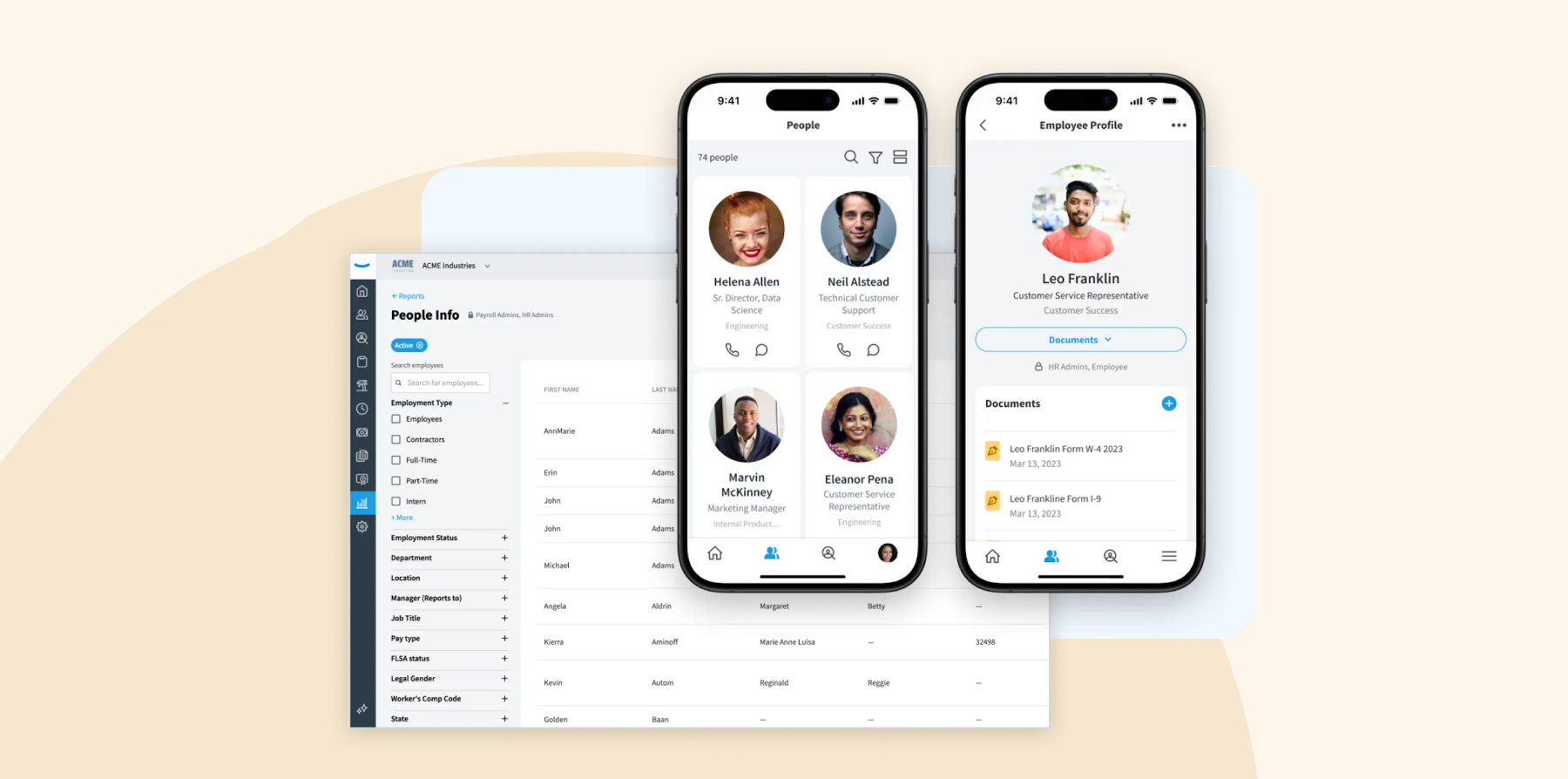
Eddy is a human resource management platform for small and medium-sized businesses. It consolidates various HR functions into a single system, aiming to handle the hiring, onboarding, payroll, and time-tracking processes.
Key features:
- Paperless onboarding: Let new hires complete and sign W-4s, I-9s, and custom forms online before their first day
- New joiner packets: Build reusable packets with documents, training, direct-deposit details, and role-specific tasks
- Task assignment: Assign setup responsibilities to managers and teammates, such as creating accounts or ordering equipment
- Progress tracking: See which onboarding steps each new hire has completed and which items remain outstanding
Pros:
- “The onboarding process is so automated and saves me a ton of time when we onboard a new person.” (source)
- “Super simple to set up and easy to use.” (source)
Cons:
- “Eddy is a newer software and not all of the features for employee management have launched.” (source)
- “The reporting is tricky and doesn’t always get what we want and how we need it. It also doesn’t handle rehires very well.” (source)
- “The features currently in place on the platform are good enough for now, but it takes a lot of leg work on the backend since I can’t customize it exactly to my specific needs.” (source)
GoCo: Best for benefits enrollment

Capterra rating: 4.4/5 from 110+ user reviews
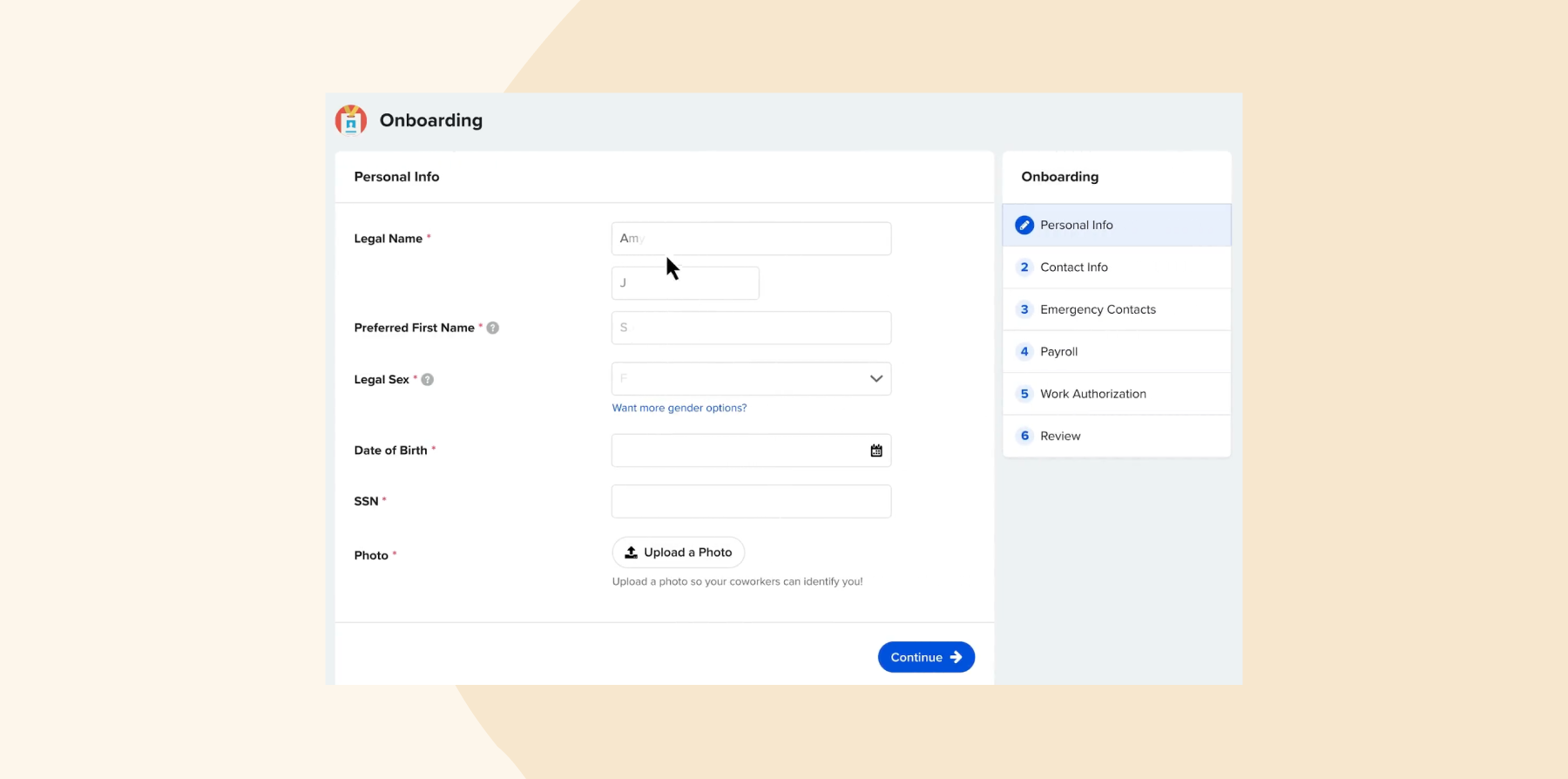
GoCo is an HR platform that supports hiring, onboarding, payroll, and benefits management. GoCo’s solution provides a digital onboarding experience for new hires, including online offer letters, onboarding forms, self-service benefit enrollment, payroll setup, and more.
Key features:
- Digital hiring documents: Send customized offer letters, collect e-signatures, and turn existing documents into fillable forms
- Configurable workflows: Create different onboarding steps for employees, contractors, roles, and departments
- Benefits enrollment: Let new hires compare eligible plans, review costs, and select benefits through self-service
- Payroll and compliance: Transfer new-hire data into payroll while collecting I-9, W-4, and deduction information digitally
Pros:
- “Automated onboarding gets new employees moving fast” (source)
- “Simple, intuitive, and flexible. ” (source)
Cons:
- “The time tracking data didn’t work well for our company. We are a union contractor and unfortunately needed a more detailed system.” (source)
- “The payroll they sync with (execupay) does things relatively last minute…we received and had to mail the 1099’s on the same day, they didn’t send it to the IRS on our behalf, etc.” (source)
Greenhouse: Best for recruiting-to-onboarding handoffs

G2 rating: 4.4/5 from 3,900+ user reviews
Greenhouse is a hiring platform designed for the recruiting and onboarding processes. The platform allows leaders to personalize the welcome experience, provide resources, and introduce new teammates to the company culture. Greenhouse can set onboarding goals for the first 30 days, track new hire progress, and gather feedback.

Key features:
- Structured onboarding: Build onboarding plans with role-, team-, and location-specific tasks and milestones
- Automated task management: Assign actions, send reminders, and keep managers and internal teams accountable
- New joiner experience: Share welcome messages, company resources, policies, and 30-day goals before and after day one
- Reporting and feedback: Track onboarding progress, review trends, and collect new-hire feedback to improve the process
Pros:
- “Greenhouse delivers a smooth, user-friendly experience for both candidates and recruiters.” (source)
- “It’s quick to learn, and it’s easy and intuitive to complete the fields and the e-signature forms.” (source)
Cons:
- “Minimal UI sometimes makes finding the right option difficult. New users often tend to struggle with learning.” (source)
- “Sometimes customizing reports can be a bit difficult. There have been some instances where it took some time for a report to pop up.” (source)
Gusto: Best for small-business payroll setup

G2 rating: 4.6/5 from 11,500+ user reviews
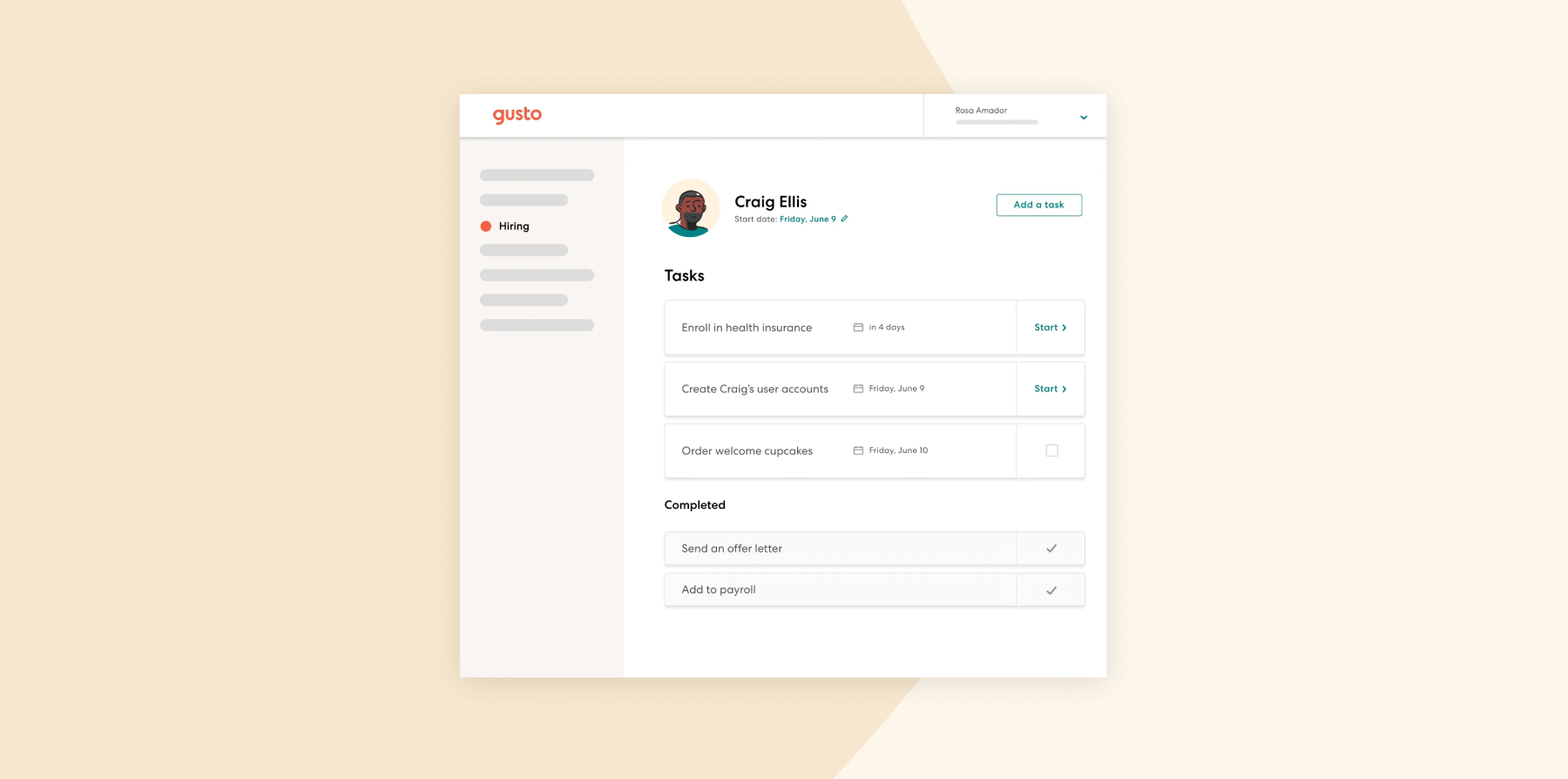
Gusto is a cloud-based HR platform that offers tools for onboarding, payroll, benefits, and HR management. HR teams can create custom onboarding checklists and automate onboarding tasks including document signing, benefits enrollment, and software provisioning.
Key features:
- Hiring and onboarding: Post jobs, review candidates, send offer letters, and move new hires into onboarding
- Onboarding checklists: Create custom task lists and track required steps for team members and contractors
- Document management: Collect signatures, tax forms, personal details, and other new-hire paperwork online
- Payroll and benefits setup: Move onboarding information into payroll, benefits enrollment, and app provisioning
Pros:
- “Gusto is so easy.” (source)
- “Onboarding through Gusto is also one of the easiest ways to ensure all of the necessary signatures and documents are done.” (source)
Cons:
- “It’s unreliable with payroll deposits and the customer service is terrible.” (source)
- “Some businesses may prefer more flexibility to tailor features to their needs.” (source)
Paychex: Best for tax-form compliance

G2 rating: 4.1/5 from 1,700+ user reviews
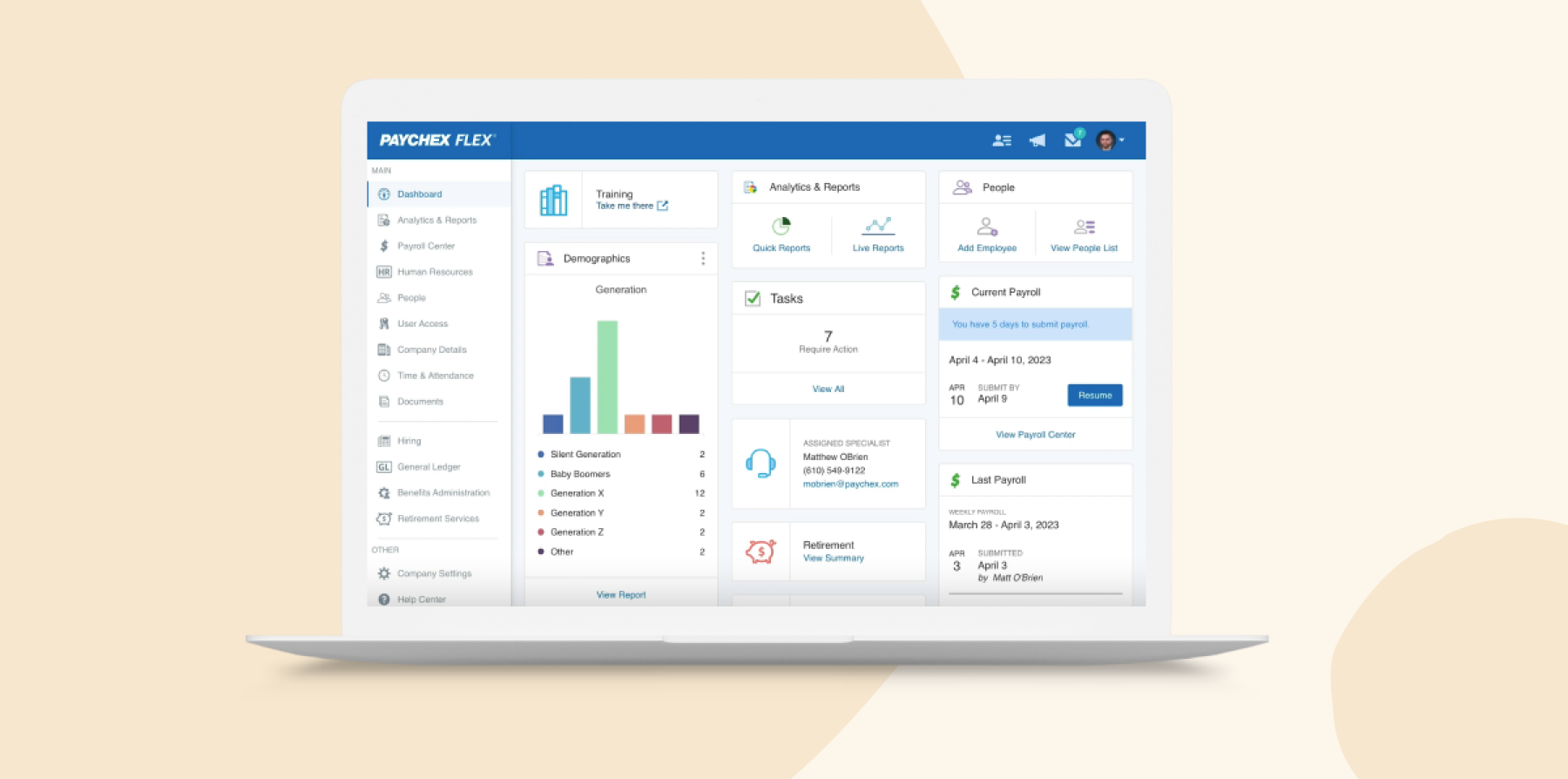
Paychex is an HCM platform offering employee onboarding features tailored to small to medium-sized businesses. New joiners can complete essential onboarding forms through the platform and familiarize themselves with company policies.
Paychex also helps ensure compliance with employment laws by digitally tracking necessary documentation such as the I-9 and W-4 tax forms, state withholding forms, and direct deposit authorizations.
Key features:
- Paperless onboarding: Let new hires complete forms and submit information through an online onboarding process
- Task management: Assign onboarding steps, track completion, and manage communication from one platform
- Compliance documents: Collect and manage Form I-9, E-Verify, tax forms, and other required records
- Payroll and HR connection: Move new-hire data into payroll, employee records, benefits, and other Paychex Flex tools
Pros:
- “Reports and documents are easy to access, and using the system doesn’t require much training.” (source)
- “I like tracking vacation in Paychex.” (source)
Cons:
- “Additional platform needed for time tracking.” (source)
- “Difficulty with E-Signature process at times.” (source)
Paycor: Best for preboarding communication

G2 rating: 4/5 from 1,800+ user reviews
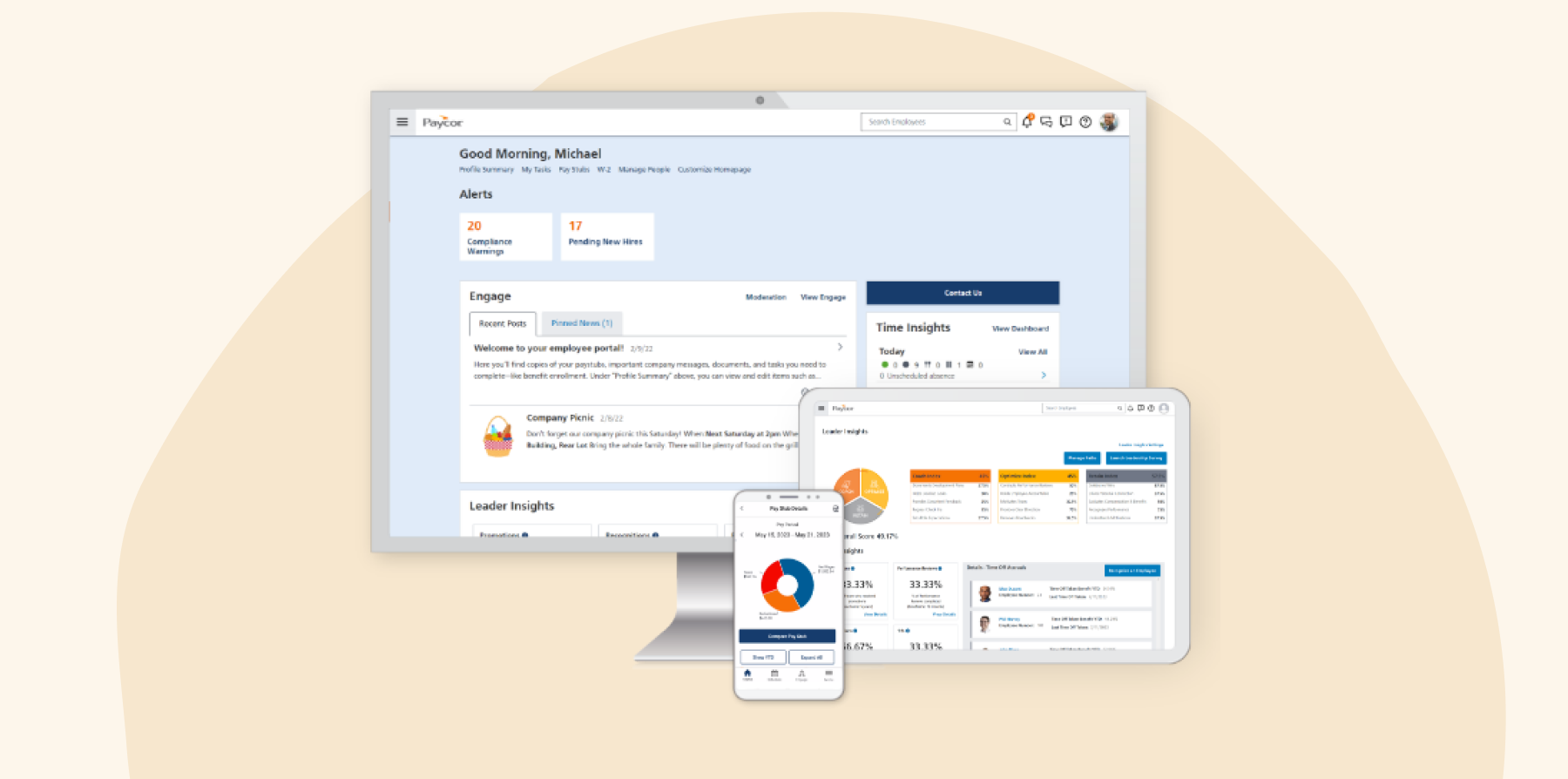
Paycor is a human resources (HR) management platform designed to assist businesses in managing their workforce. It integrates various HR functions such as the hiring process, employee onboarding, payroll, and timekeeping to streamline administrative tasks and improve compliance.
Key features:
- Mobile onboarding: Let new hires complete personal details, forms, and policy acknowledgments from any device
- Automated paperwork: Assign onboarding tasks, track completion, and reduce manual follow-up
- Compliance management: Collect electronic signatures and store completed forms with timestamps in each team member’s file
- Progress tracking: Monitor each onboarding step, send reminders, and set clear expectations for new hires and managers
Pros:
- “The platform is easy to use and gives us the opportunity to manage multiple HR functions in one platform.” (source)
- “You can find everything you need easily.” (source)
Cons:
- “Sometimes the web-based time clock displays the time inaccurately, your clock will still punch but it seems erroneous at first.” (source)
- “Had to follow up and keep implementation on track with too many items. Some items were not covered at all. We could have used more time with, and information from, our implementation team.” (source)
Paylocity: Best for mobile onboarding

G2 rating: 4.4/5 from 6,100+ user reviews
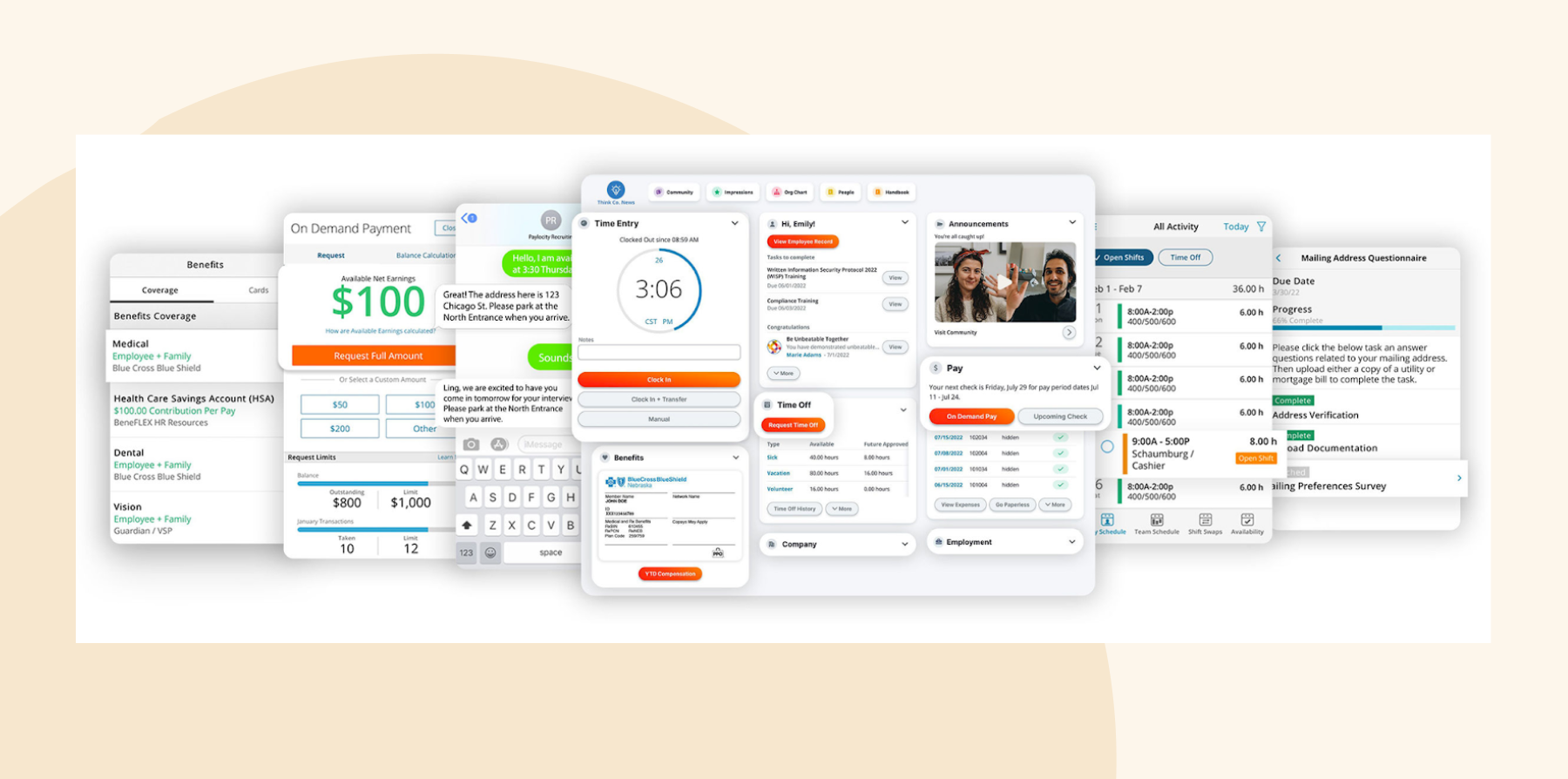
Paylocity is a cloud-based payroll and HCM software for small- to medium-sized businesses. It offers several tools designed to help organizations manage the entire team member lifecycle, from recruitment and onboarding to team member engagement.
Key features:
- Personalized onboarding: Create welcome messages, training content, and onboarding steps for different roles and teams
- Self-service: Let new hires upload identification, acknowledge policies, and enroll in benefits from their phones
- Engagement tools: Use pulse surveys, company information, and social features to help new hires connect with the organization
- HR and payroll connection: Move candidate information into onboarding, payroll, and employee records without entering it again
Pros:
- “I like the streamlining of Payroll, Benefits, Performance, Recruiting and Onboarding.” (source)
- “Things are pretty straightforward to find.” (source)
Cons:
- “Customer support was slow to respond and our assigned rep was often changing, which meant they had limited knowledge of the system.” (source)
- “The initial installation could have been better. Many things were not done correctly at first. Also needed more training before implementation.” (source)
Rippling: Best for device and app provisioning

G2 rating: 4.8/5 from 13,200+ user reviews
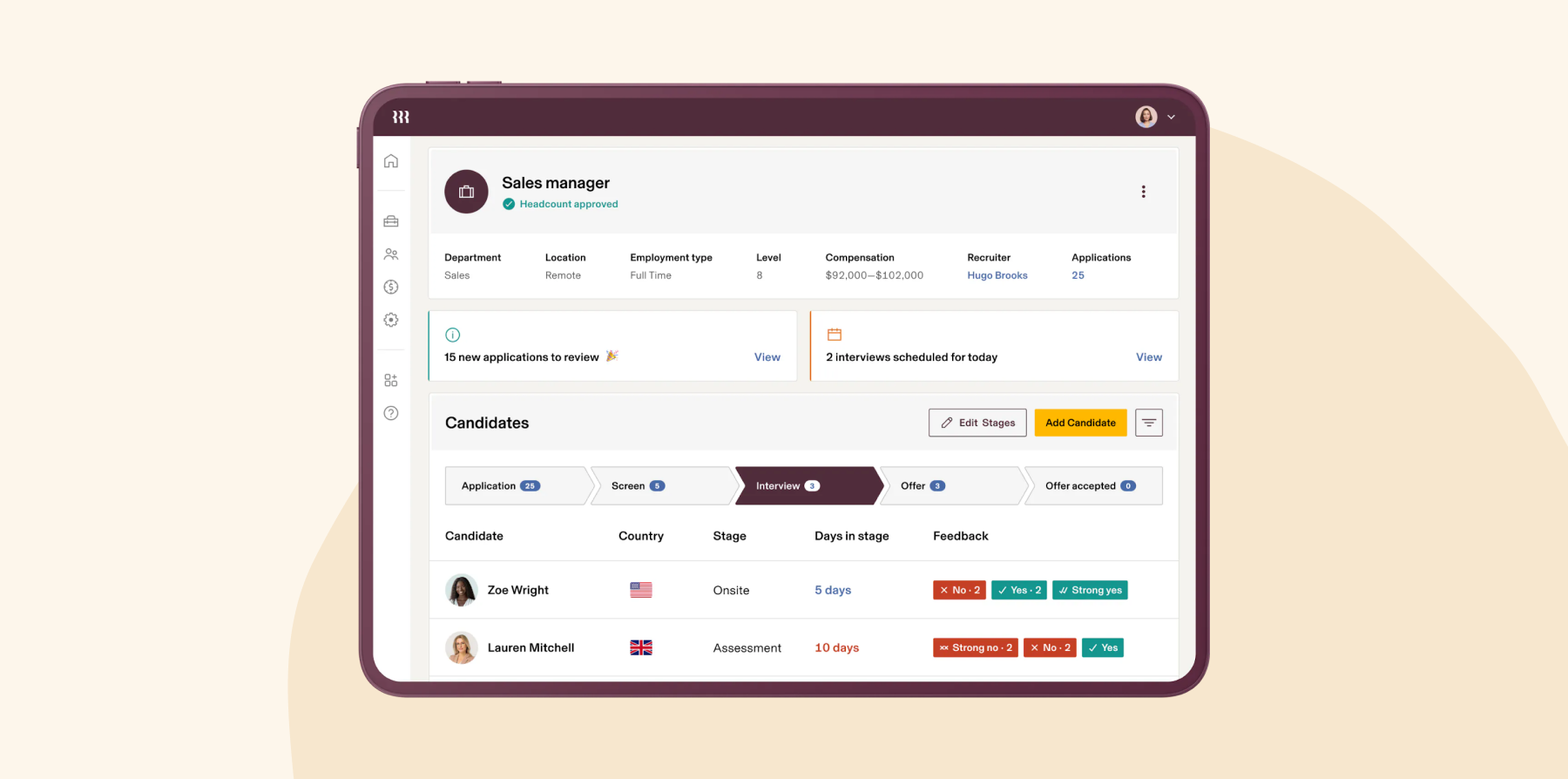
Rippling is an employee management platform that centralizes HR, IT, and finance processes. It offers various onboarding features, from the automated distribution of offer letters and digital benefits enrollment to training modules. Rippling can also automate device and app configuration so that everything is ready for the new team member on their first day.
Key features:
- Automated onboarding: Trigger payroll, benefits enrollment, training, and other setup tasks after a new hire signs their offer
- App provisioning: Create accounts and assign access to tools like Slack, Microsoft 365, and other workplace systems
- Device management: Order, configure, and assign laptops or other equipment before the team member’s first day
- Custom workflows: Build onboarding automations based on role, department, location, manager, and other employee data
Pros:
- “I love the Rippling puts everything in one place. I have access to benefits, payroll, PTO, and performance reviews all under one umbrella.” (source)
- “When we had issues with our payroll and hr management, the customer support at rippling was great. They resolved our issue in <24 hours.” (source)
Cons:
- “Setting up takes some time, the interface could use some better in-email option or clickables for clients onboarding.” (source)
- “What I like least is the support service and having to go through a robot system for help.” (source)
<<Compare Bob vs. Rippling–See which fits your business best>>
WorkBright: Best for seasonal workforce onboarding

G2 rating: 4.7/5 from 180+ user reviews
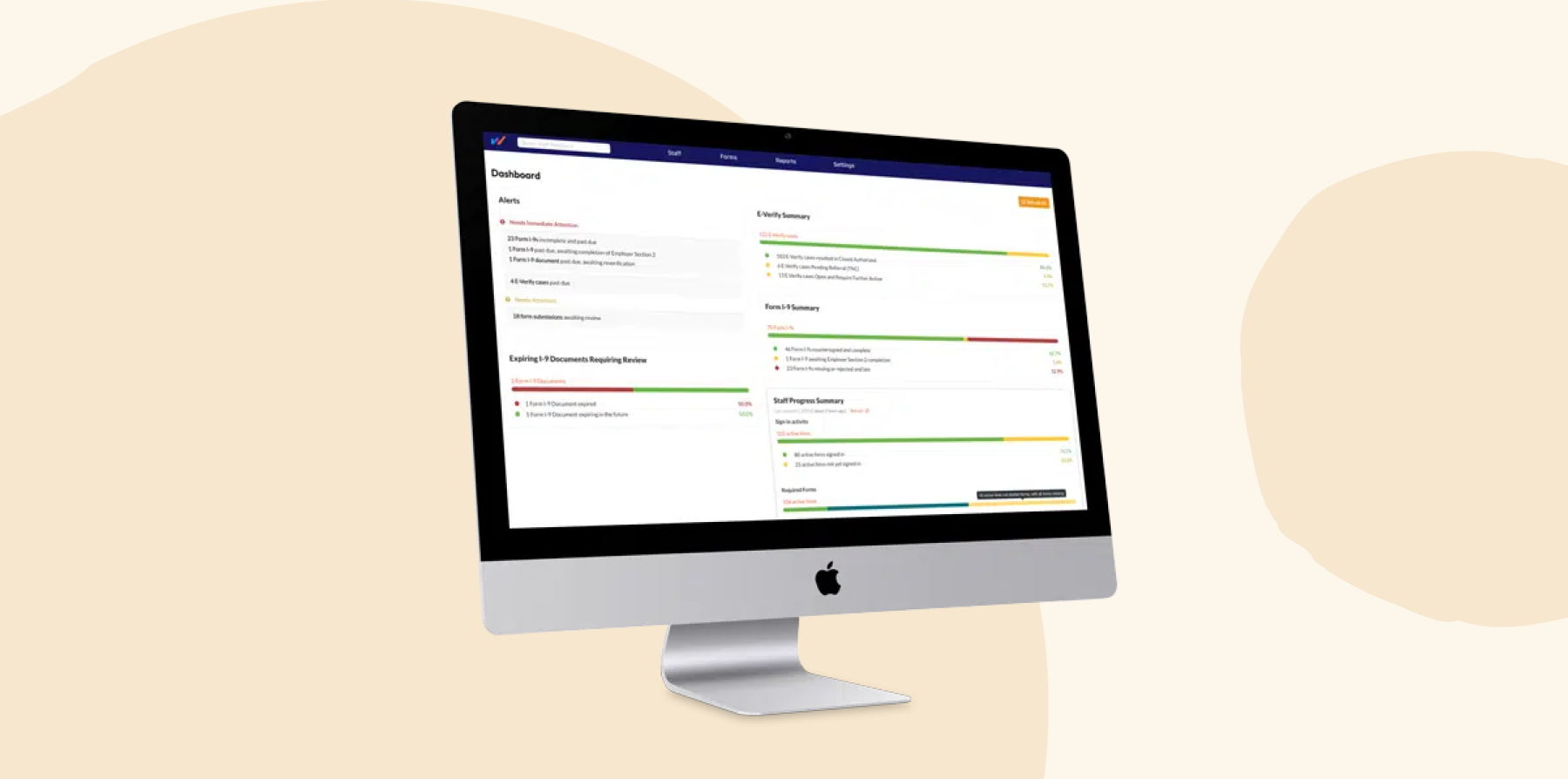
WorkBright is an HR technology platform that specializes in automating the onboarding process for remote employees. It’s designed primarily to assist companies that frequently hire seasonal or temporary staff.
Key features:
- Paperless onboarding: Let new hires complete employment forms from a phone, tablet, or computer before their start date
- I-9 and E-Verify: Guide document verification, run automated checks, and manage E-Verify cases in one workflow
- Compliance management: Keep federal and state forms current while storing audit-ready records and policy acknowledgments
- HR system integrations: Connect onboarding data with existing HRIS and payroll platforms to reduce duplicate entry
Pros:
- “WorkBright is easy to use and it’s reliable.” (source)
- “Great platform to stay organized and keep everything in one place.” (source)
Cons:
- “Not integrated with our HRIS. this isn’t a deal breaker as this would be a nice to have.” (source)
- “I do wish their is a fast or easier way to accept and download files. Wish it allowed me to filter staff based on those that I am onboarding instead of everyone from my team.” (source)
Waybook: Best for basic onboarding training

Capterra rating: 4.9/5 from 50+ user reviews
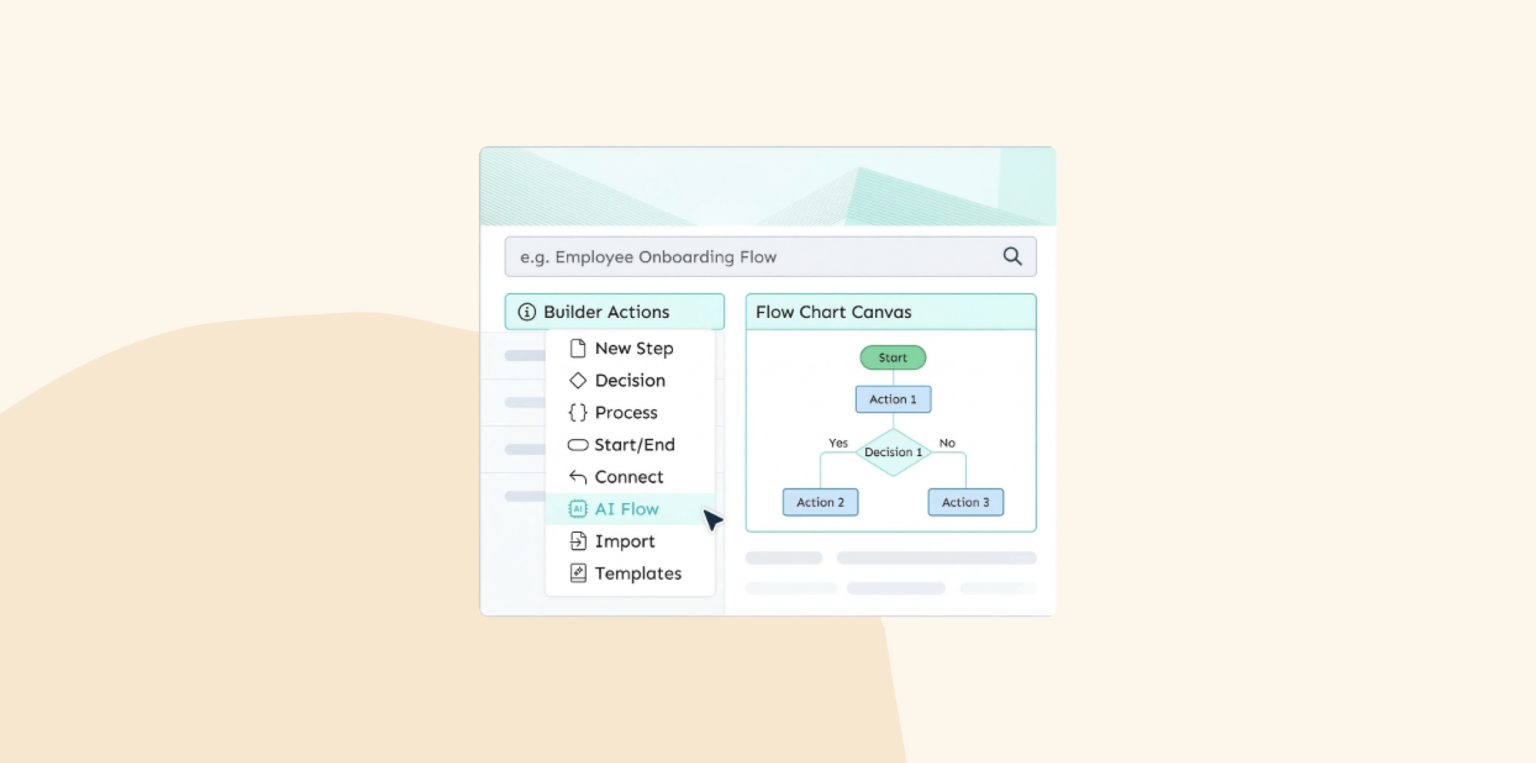
Waybook is an onboarding, training, and knowledge management platform that helps teams turn company processes into structured learning paths. HR teams can organize policies, standard operating procedures, videos, and role-specific guidance in one searchable playbook, then assign the right material to each new joiner.
Learning paths deliver content in a set order based on someone’s role or seniority. Managers can add deadlines, quizzes, and completion checks to confirm that new team members have reviewed and understood important information.
Key features:
- Structured onboarding paths: Deliver the same role-specific steps, standards, and training sequence to every new hire
- Process documentation: Organize policies, standard operating procedures, and company knowledge into one searchable playbook
- Training verification: Add quizzes and checkpoints to confirm that new hires understand required information
- Progress tracking: Monitor completed training, outstanding steps, and onboarding progress from one dashboard
Pros:
- “We use it to keep our SOPs since we work remotely.” (source)
- “It has been a great step for us to take our training and documentation to the next level.” (source)
Cons:
- “It doesn’t allow you to style the paragraph as you’d like. Sometimes it’s hard to paste paragraphs in the same style or font.” (source)
- “I do not like the format of exports. We need to be able to create page breaks so the printouts are also an easy-to-utilize resource.” (source)
Workday: Best for enterprise talent onboarding

G2 rating: 4.1/5 from 1,600+ user reviews
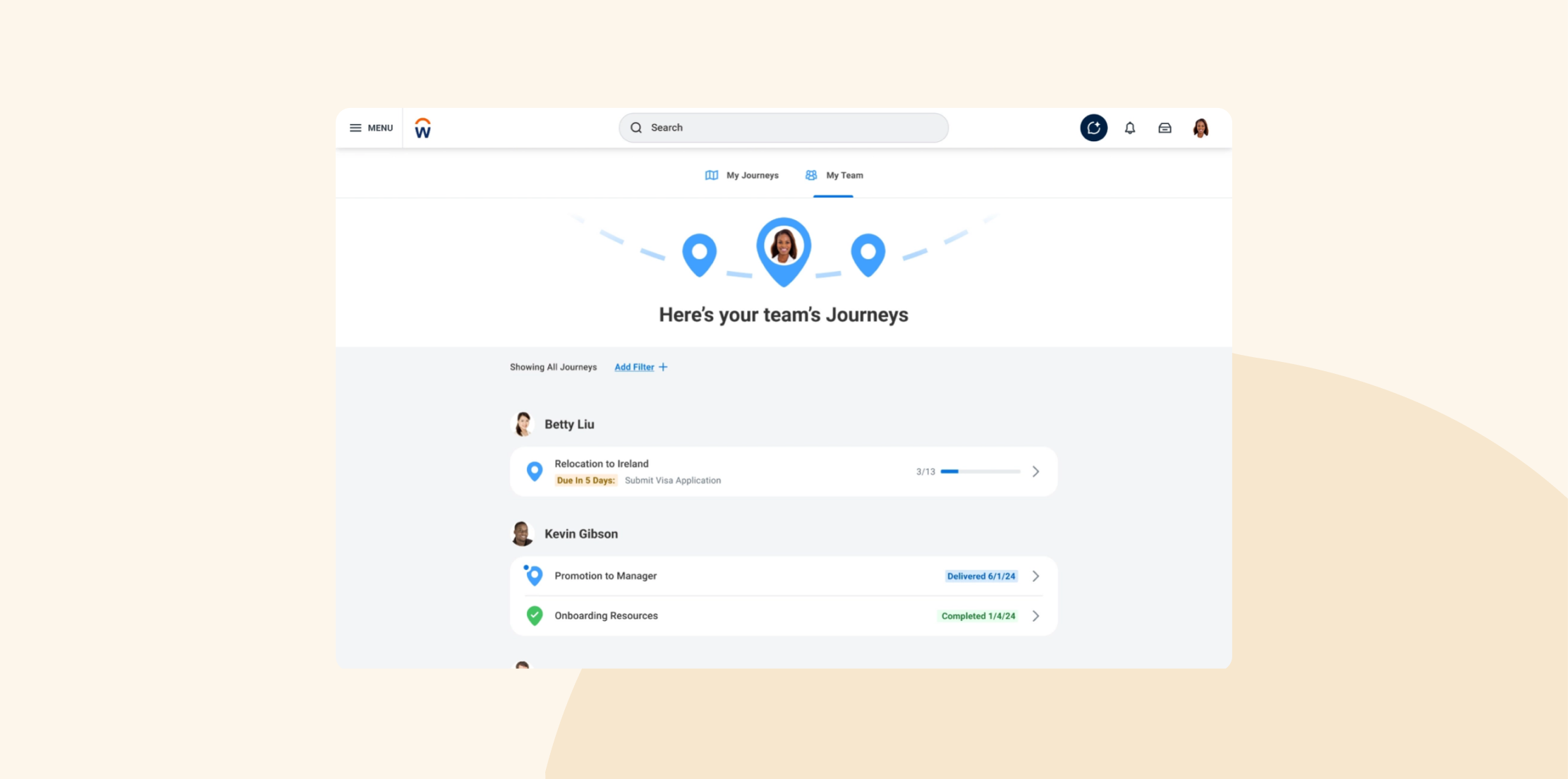
Workday is a cloud-based enterprise resource planning (ERP) software that integrates finance, HR, and planning into one system. HR leaders can draft and send offer letters, automate background checks, and ensure all necessary onboarding documents are completed.
The platform also provides tools to create detailed training programs and schedules, assign mentors, and gather feedback on the onboarding process.
Key features:
- Personalized onboarding plans: Build preboarding and onboarding experiences around each new hire’s role, team, and location
- Task and content delivery: Guide new hires through forms, learning, announcements, and recommended actions
- Talent management: Connect onboarding with recruiting, learning, performance, skills, and career development
- HR and workforce data: Carry new-hire records into core HR, payroll, planning, and other employee lifecycle processes
Pros:
- “It provides valuable insights into workforce trends and performance metrics, empowering data-driven decision-making.” (source)
- “It was a great tool for our company to manage their organization. It has all features that we need within the company.” (source)
Cons:
- “Due to many features in this tool, I have a hard time navigating sometimes.” (source)
- “Workday HCM requires a bit of a learning curve.” (source)
<<Compare Bob vs. Workday – See which fits your business best>>
How to choose the best employee onboarding software
The right onboarding software fits your company’s immediate needs and adapts as your organization grows and changes. Consider these key factors when deciding between onboarding platforms:
Your organizational needs
Start by identifying the specific challenges and requirements your organization faces during the onboarding process. Do you need to automate certain repetitive tasks? Are there specific compliance issues you need to address? Understanding these needs will help you easily home in on software that offers the right features.
Questions to ask vendors:
- Can we create different onboarding flows by role, location, department, or employment type?
- Which tasks can the platform automate for HR, managers, IT, and new hires?
- Can the system support our compliance requirements and required employment forms?
- Will the platform still fit if our hiring volume or company structure changes?
Ease of use and implementation
The best onboarding software is intuitive and easy to use for HR teams and new hires. Using automation can be efficient, but it can backfire if the learning curve for new hires is too steep. It’s important to select a solution with a clean, user-friendly interface and comprehensive support and training materials to ensure smooth implementation and a positive start.
Questions to ask vendors:
- Can you demonstrate the full onboarding process from the new hire’s point of view?
- How long does implementation typically take for a company our size?
- What setup, data migration, and training support do you provide?
- Will we need technical help to change workflows, forms, or permissions after launch?
Integration abilities
Ideally, your onboarding software should integrate with your existing HR systems, such as payroll software, HRIS or HCM, LMS, and recruitment tools. Good integration helps keep all your team member’s information in one place, reduces mistakes from manually entering data, and gives you a clear and comprehensive picture of your workforce.
Questions to ask vendors:
- Which payroll, applicant tracking, learning, identity, and IT systems do you integrate with?
- Does information sync automatically in both directions?
- Are integrations included in the plan, or do they cost extra?
- Who handles setup and troubleshooting when an integration stops working?
Security and privacy standards
With the increasing amount of sensitive data being processed, it’s crucial to make sure your onboarding software adheres to stringent security and privacy standards. Look for platforms that offer encrypted data storage and comply with relevant laws to ensure that your company’s and team members’ data remain protected.
Questions to ask vendors:
- How do you encrypt team member data during transfer and storage?
- Which security certifications and privacy regulations does the platform support?
- Can administrators control permissions by role, team, or location?
- How does the vendor handle backups, security incidents, and data deletion?
Your budget
When determining your budget, consider the upfront costs and long-term expenses of the software, such as subscriptions, updates, and additional features. It’s also important to evaluate the ROI the software will bring through improved efficiency, better compliance, and higher retention rates.
Questions to ask vendors:
- What does the quoted price include?
- Are implementation, integrations, support, training, or added modules charged separately?
- How will pricing change as we hire more people or add locations?
- What ongoing internal work will our team need to manage after launch?
Discover the power of modern HRIS and learn firsthand how Bob can optimize your HR processes
Recommended For Further Reading
- 10 tips for creating first-class onboarding processes
- BambooHR review and alternatives
- Best employee management software
- 3 HR leaders talk pronouns, privilege, and tech’s role in creating more inclusive workplaces
- How Airtasker saves hours of admin time every month using Bob’s automation and people analytics
Choose the best employee onboarding software for your business
Selecting the right onboarding software is a critical step in ensuring a smooth transition for new hires into their roles and your company culture. If you’re looking for a solution that enhances employee engagement and retention while integrating seamlessly with your HR processes, consider HiBob. HiBob streamlines onboarding with automated workflows, customizable sequences, and analytics that help you understand what’s working and where new hires get stuck.
Since HiBob connects HR and Finance through the same real-time people data, onboarding changes like start dates, role details, and compensation updates can roll into workforce planning and cost visibility without extra spreadsheets. AI-powered tools can also help teams move faster with clearer insights and guided support, while keeping decisions consistent.
These tools work together to foster a healthy and thriving company culture from the start, ensuring that every new hire feels welcomed and valued.
Discover the power of modern HRIS and learn firsthand how Bob can optimize your HR processes
Disclaimer:
This content reflects HiBob’s perspective, informed by our experience supporting HR teams as they evaluate and implement HR software. It is provided for informational purposes only and is not intended as independent research or professional advice. Prospective users should conduct their own evaluation before making a decision.
Feature descriptions, pricing references, and availability for third-party platforms are based on publicly available information at the time of publication and may change. HiBob does not guarantee the accuracy or completeness of information related to third-party products. Prospective users should verify details directly with each provider.
FAQs on employee onboarding platforms and tools
Onboarding is a crucial process for integrating new joiners into an organization. It fosters a connection between the new hires and the organization’s culture, goals, and practices. Onboarding involves introducing new hires to company policies and their specific roles as well as providing them with the necessary tools and information to succeed from day one.
Effective onboarding sets the initial tone of a team member’s experience and directly impacts their engagement and productivity. A structured onboarding process leads to higher job satisfaction, improved job performance, and increased retention rates. Conversely, a lack of proper onboarding can result in higher turnover and disengagement, affecting the organization’s overall morale and efficiency.
Employee onboarding software typically costs $5 to $35 per user per month, while entry-level plans average about $79 per month. Pricing depends on company size, hiring volume, included HR features, and whether the vendor charges per employee, per administrator, or through a flat monthly subscription. Enterprise platforms often use custom pricing, and implementation, integrations, training, or premium support may cost extra.
Yes. Some onboarding software focuses solely on the administrative aspects of onboarding such as document management and task automation, while others might emphasize cultural integration, training, and development.
The most effective onboarding software has extensive capabilities, including flexible workflows, integrations with other HR systems, and features that promote engagement and facilitate learning—all critical for successful team member integration.
Small businesses can look for onboarding software that covers essentials like forms, task lists, document storage, and payroll connections. Lightweight platforms may suit very small teams, while growing companies should also consider how well the software can support added locations, reporting needs, and more complex HR processes.
HiBob is best suited to growing small businesses and mid-size organizations that need onboarding to connect with wider HR, payroll, and workforce planning. HiBob supports automated workflows, document management, self-service, and role-specific onboarding while giving teams room to add more structure as the company grows.
Yes, tools like Deel offer free plans that include basic features. However, these free versions may be limited in scope and scalability compared to paid versions.